CASE STUDY · SDS Weather INC.
Staff Product Designer, Weather Radar @RadarOmega
Staff Product Designer, Weather Radar @RadarOmega
Staff Product Designer, Weather Radar @RadarOmega
Redesigning a mission-critical weather analytics application for meteorology scientists, storm damage assessment services, and field-to-office workflows.
Redesigning a mission-critical weather analytics application for meteorology scientists, storm damage assessment services, and field-to-office workflows.
Role
Staff Product Designer
Reporting to
CEO, CMO, and Chief Meteorologist

Context
RadarOmega delivers high-resolution radar data and advanced severe-weather tools for expert and everyday decision-making.
RadarOmega delivers high-resolution radar data and advanced severe-weather tools for expert and everyday decision-making.
Challenge
Translate dense NOAA symbols, radar layers, and alert logic into faster, clearer, more actionable workflows.
Translate dense NOAA symbols, radar layers, and alert logic into faster, clearer, more actionable workflows.
Users
Meteorologists, storm chasers, emergency managers, field teams, hobbyists, and first-time users under pressure.
Meteorologists, storm chasers, emergency managers, field teams, hobbyists, and first-time users under pressure.
Outcome
A broader redesign scope, clearer navigation strategy, and an expert-reviewed alert hierarchy ready for development.
A broader redesign scope, clearer navigation strategy, and an expert-reviewed alert hierarchy ready for development.
TABLE OF CONTENTS
01 · Project Overview
02 · Problem
03 · User Journey Mapping
04 · Competitive Research
05 · Business Model Analysis
06 · User Requirements
07 · Information Architecture
08 · Feature Improvements
09 · Conclusion
01 · PROJECT OVERVIEW
Redesigning mission-critical weather analytics
Redesigning mission-critical weather analytics
RadarOmega is a powerful, next-generation weather radar application that delivers high-resolution, single-site radar data and advanced tools—far beyond standard weather apps—making it essential for meteorologists, storm chasers, emergency managers, and enthusiasts who need fast, accurate insights into severe weather, hurricanes, and more to stay safe and informed.
RadarOmega is a powerful, next-generation weather radar application that delivers high-resolution, single-site radar data and advanced tools—far beyond standard weather apps—making it essential for meteorologists, storm chasers, emergency managers, and enthusiasts who need fast, accurate insights into severe weather, hurricanes, and more to stay safe and informed.
At RadarOmega, the client initially approached me to resolve issues with their navigational structure, as they were unsure how to improve the rest of the application. Since they had never previously worked with a UX/UI designer, I proposed conducting a full product audit to identify usability gaps and opportunities for improvement.
At RadarOmega, the client initially approached me to resolve issues with their navigational structure, as they were unsure how to improve the rest of the application. Since they had never previously worked with a UX/UI designer, I proposed conducting a full product audit to identify usability gaps and opportunities for improvement.
Through this process, I uncovered deeper issues tied to user personas and workflows. My recommendations gave the client a clearer understanding of their users’ needs, which ultimately led them to expand the project scope from a limited navigation fix to a complete redesign of the application, guided by a user-centered strategy.
02 · PROBLEM
NOAA-powered maps created cognitive overload.
NOAA-powered maps created cognitive overload.
Users of weather apps like RadarOmega often face challenges when viewing NOAA-powered weather maps because the NOAA API provides raw meteorological data filled with specialized symbols, radar icons, and thermal overlays that are not designed for general audiences. This creates cognitive overload when multiple layers overlap, leading to cluttered visuals that make it difficult to identify urgent information such as severe storms. Since most users are unfamiliar with NOAA’s symbol system, they struggle to interpret what the graphics mean without contextual guidance, and the data itself is presented without translation into real-world impact.
Users of weather apps like RadarOmega often face challenges when viewing NOAA-powered weather maps because the NOAA API provides raw meteorological data filled with specialized symbols, radar icons, and thermal overlays that are not designed for general audiences. This creates cognitive overload when multiple layers overlap, leading to cluttered visuals that make it difficult to identify urgent information such as severe storms. Since most users are unfamiliar with NOAA’s symbol system, they struggle to interpret what the graphics mean without contextual guidance, and the data itself is presented without translation into real-world impact.


03 · USER JOURNEY MAPPING
Immediate, local conditions drove the core use case.
Immediate, local conditions drove the core use case.
mapped the journey of a technical user who downloaded a radar app to track rainfall direction for his job. Their simple goal—to view precipitation patterns—was hindered by confusion around selecting radar towers, unclear controls, and technical jargon like reflectivity and Dbz. Although he eventually looped the radar and achieved his goal, it required significant trial and error. This revealed key opportunities to simplify onboarding, auto-surface relevant data, and provide contextual guidance.
mapped the journey of a technical user who downloaded a radar app to track rainfall direction for his job. Their simple goal—to view precipitation patterns—was hindered by confusion around selecting radar towers, unclear controls, and technical jargon like reflectivity and Dbz. Although he eventually looped the radar and achieved his goal, it required significant trial and error. This revealed key opportunities to simplify onboarding, auto-surface relevant data, and provide contextual guidance.

04 · COMPETITIVE RESEARCH
The opportunity sat between professional depth and everyday clarity.
The opportunity sat between professional depth and everyday clarity.
RadarScope delivers advanced meteorological data but overwhelms non-experts with complexity, while RadarOmega offers similar depth yet suffers from confusing controls and unclear onboarding. Rain Viewer simplifies the experience with automatic radar and easy animations, meeting immediate needs but lacking professional depth. This gap shows the opportunity to combine NOAA-level accuracy with user-friendly translation.
RadarScope delivers advanced meteorological data but overwhelms non-experts with complexity, while RadarOmega offers similar depth yet suffers from confusing controls and unclear onboarding. Rain Viewer simplifies the experience with automatic radar and easy animations, meeting immediate needs but lacking professional depth. This gap shows the opportunity to combine NOAA-level accuracy with user-friendly translation.

05 · BUSINESS MODEL ANALYSIS
RadarOmega sat in a vulnerable middle ground.
RadarOmega sat in a vulnerable middle ground.
RadarOmega, priced at $8.99 with under 1,000 reviews, sits in a vulnerable middle ground—too expensive for hobbyists yet not differentiated enough for meteorologists. With 50% of the segment made up of hobbyists and 35% professionals, the greatest ROI lies in adopting a hybrid model: offering a free entry tier with essential radar animations while monetizing advanced NOAA data overlays, velocity tools, and storm-tracking features through a premium subscription.
RadarOmega, priced at $8.99 with under 1,000 reviews, sits in a vulnerable middle ground—too expensive for hobbyists yet not differentiated enough for meteorologists. With 50% of the segment made up of hobbyists and 35% professionals, the greatest ROI lies in adopting a hybrid model: offering a free entry tier with essential radar animations while monetizing advanced NOAA data overlays, velocity tools, and storm-tracking features through a premium subscription.
Entry
Entry
Free radar
Free radar
Free radar
Fast trial of core maps
Fast trial of core maps
→
↓
Urgency creates upgrade intent
Premium
Premium
NOAA tools
NOAA tools
NOAA tools
Alerts, layers, and precision
Alerts, layers, and precision
Freemium
Expert layers
Recurring value
Entry access converts into premium weather intelligence
Entry access converts into premium weather intelligence
06 · USER REQUIREMENTS
Users needed confidence before the storm.
Users needed confidence before the storm.
Research and tornado-flow testing showed one core need: translate complex radar data into clear, timely guidance people can act on quickly. Users relying on government alert systems experience major frustrations rooted in reactivity, inconsistency, and lack of personalization. These systems often issue alerts too late—once severe weather is already unfolding—leaving users with little time to prepare or protect loved ones. The notifications themselves are text-heavy, impersonal, and difficult to contextualize, offering no visual cues about storm movement or severity. Many users also face alert fatigue from frequent, non-critical notifications, causing them to tune out or ignore future warnings.
Research and tornado-flow testing showed one core need: translate complex radar data into clear, timely guidance people can act on quickly. Users relying on government alert systems experience major frustrations rooted in reactivity, inconsistency, and lack of personalization. These systems often issue alerts too late—once severe weather is already unfolding—leaving users with little time to prepare or protect loved ones. The notifications themselves are text-heavy, impersonal, and difficult to contextualize, offering no visual cues about storm movement or severity. Many users also face alert fatigue from frequent, non-critical notifications, causing them to tune out or ignore future warnings.


07 · INFORMATION ARCHITECTURE
A clearer structure became a testable storm workflow.
A clearer structure became a testable storm workflow.
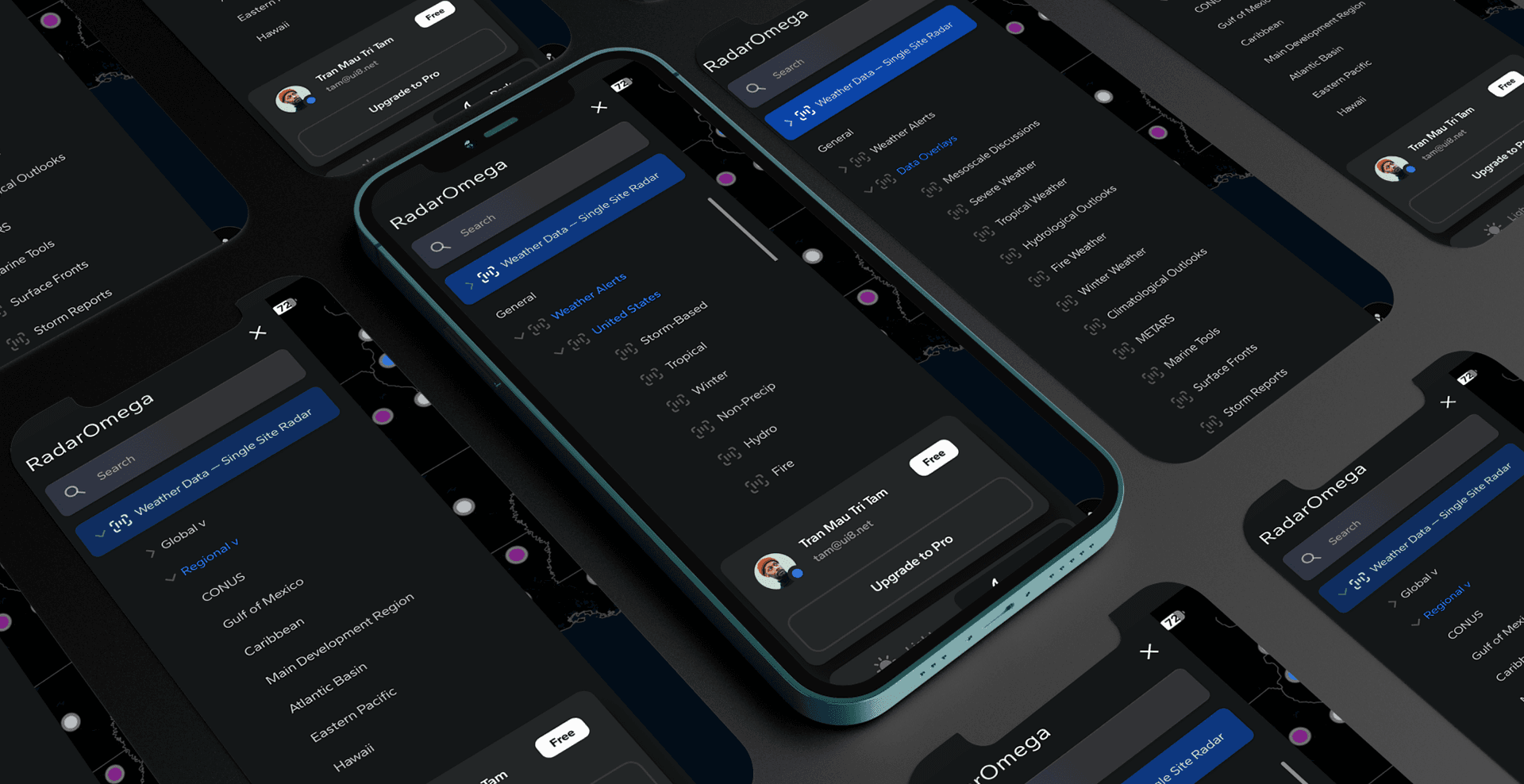
The information architecture reduced RadarOmega’s dense layers into a simpler path: understand the threat, choose the right radar view, then act on the alert. That structure became the prototype foundation for faster interpretation under pressure.
The information architecture reduced RadarOmega’s dense layers into a simpler path: understand the threat, choose the right radar view, then act on the alert. That structure became the prototype foundation for faster interpretation under pressure.
08 · FEATURE IMPROVEMENTS
The most severe alert became impossible to miss.
The most severe alert became impossible to miss.
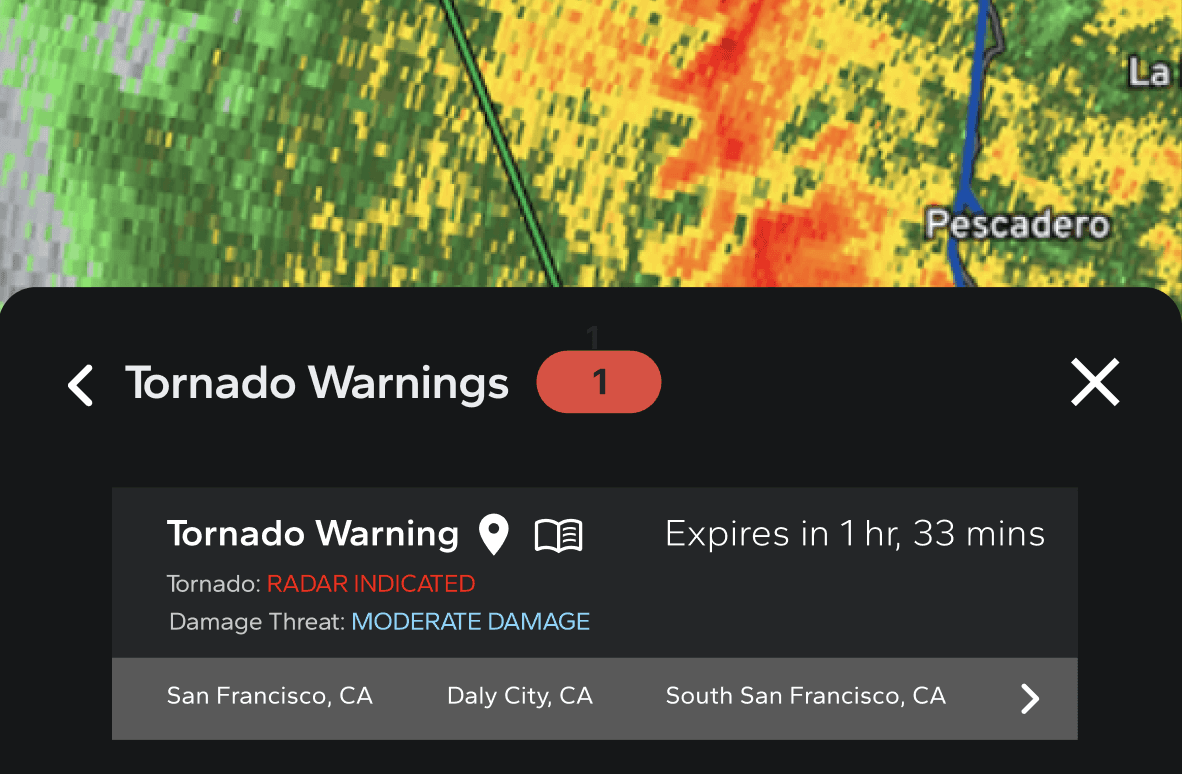
After zooming into the storm, a Tornado Emergency banner appears on the map with critical details—hail size, damage threat, and a live expires-in timer—yet it’s easy to miss while the Tornado Warning bottom sheet and alert list draw focus. I redesigned this flow so that when a Tornado Emergency is detected the app auto-pauses animation, snaps to the affected polygon, elevates a sticky purple header with plain-language severity and countdown, and opens a proximity-filtered list synced to the selected polygon. Color coding was aligned with NOAA’s latest official standards and threat-level lexicon so users don’t miss the most severe alert while panning or zooming.
After zooming into the storm, a Tornado Emergency banner appears on the map with critical details—hail size, damage threat, and a live expires-in timer—yet it’s easy to miss while the Tornado Warning bottom sheet and alert list draw focus. I redesigned this flow so that when a Tornado Emergency is detected the app auto-pauses animation, snaps to the affected polygon, elevates a sticky purple header with plain-language severity and countdown, and opens a proximity-filtered list synced to the selected polygon. Color coding was aligned with NOAA’s latest official standards and threat-level lexicon so users don’t miss the most severe alert while panning or zooming.

09 · CONCLUSION
Expert validation aligned the redesign with real-world meteorological priorities.
Expert validation aligned the redesign with real-world meteorological priorities.
The updated alert flow was handed off to the development team for implementation, with initial internal validation conducted by professional meteorologists on the RadarOmega team. Their feedback confirmed that the redesigned hierarchy and visual logic aligned with real-world meteorological priorities—particularly the distinction between Tornado Warnings and Tornado Emergencies. Once development is finalized, the next phase will focus on field testing with both technical and non-technical users to evaluate clarity, speed of interpretation, and emotional response under real conditions.
The updated alert flow was handed off to the development team for implementation, with initial internal validation conducted by professional meteorologists on the RadarOmega team. Their feedback confirmed that the redesigned hierarchy and visual logic aligned with real-world meteorological priorities—particularly the distinction between Tornado Warnings and Tornado Emergencies. Once development is finalized, the next phase will focus on field testing with both technical and non-technical users to evaluate clarity, speed of interpretation, and emotional response under real conditions.