CASE STUDY · DELTA DENTAL
UX Research for Provider Tools at Delta Dental
A usability research case study evaluating whether Provider Tools supports dentists and office administrators through the high-stakes claims submission workflow for patients’ coverage.
ROLE
UX Researcher & Product Insights Analyst (Healthcare Enterprise SaaS)
FOCUS
Claims submission usability, research synthesis, product recommendations


CONTEXT
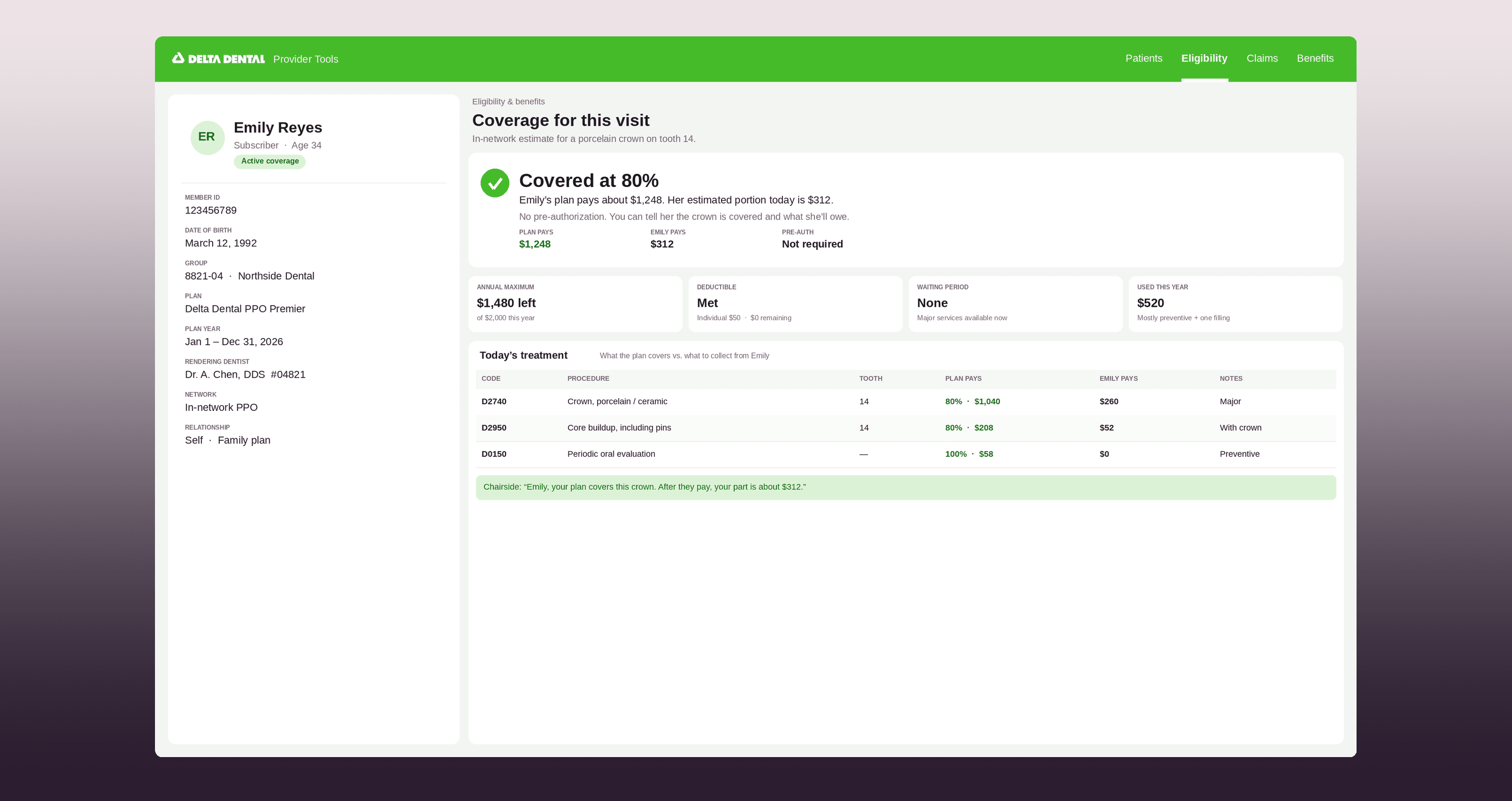
Provider Tools is a B2B practice management web portal used by dental offices to manage patient records, benefits, and claims.
CHALLENGE
Nearly 8,000 claims were denied weekly, creating risk for patients and uncertainty for providers submitting critical treatment information.
USERS
Dentists, office managers, hygienists, and staff responsible for insurance verification and claim submission workflows.
OUTCOME
Delivered a validated baseline and prioritized recommendations guiding product improvements to reduce provider uncertainty, claim denials, and administrative burden.
TABLE OF CONTENTS
01 · Baseline Metrics
02 · Problem
03 · Our Users
04 · Usability Testing
05 · User Interviews
06 · Research Synthesis
07 · Thematic Analysis
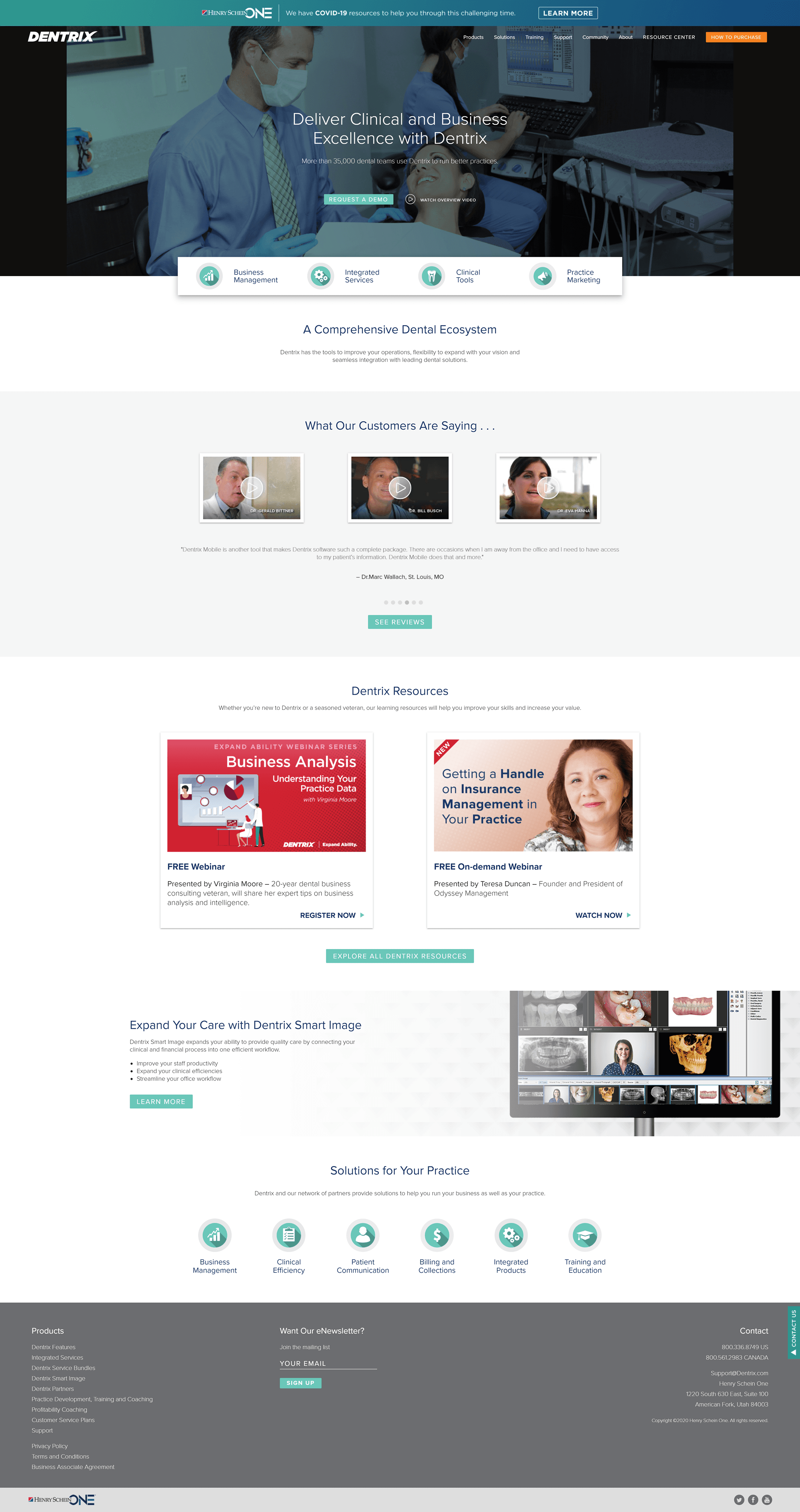
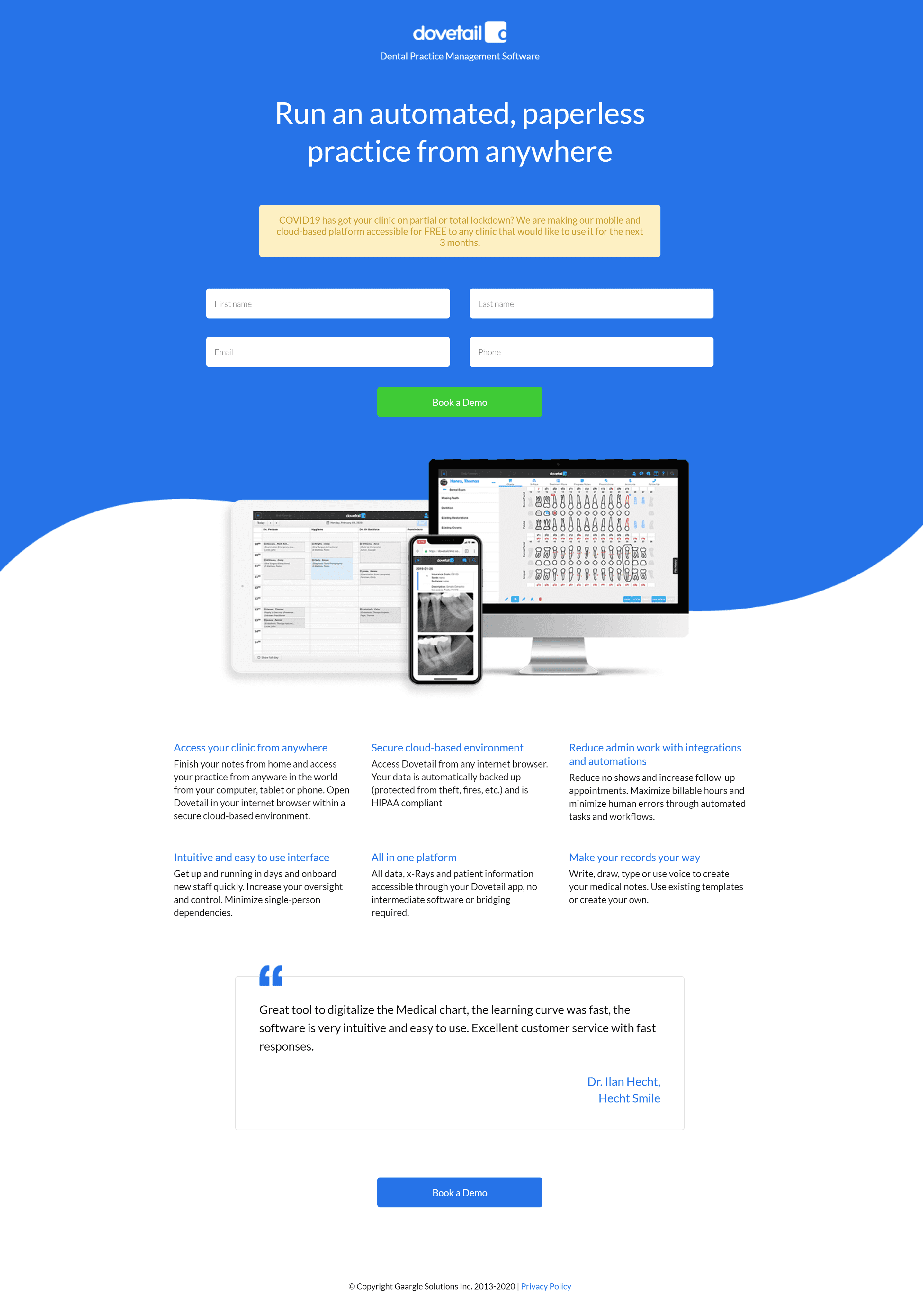
08 · Competitor Analysis
09 · Feature Recommendations
10 · Stakeholder Buy-in
11 · Conclusion
01 · BASELINE METRICS
UX research had to protect patient coverage at enterprise scale.
Provider Tools supports offices submitting claims on behalf of patients. Without usability evidence, the team couldn’t know where workflows were breaking down or how denials might be prevented before patients absorbed unnecessary costs.
2.4 million
claims processed every week
$18.7 billion
covered for enrollees in insurance groups
90%
of claim denials are preventable but still occur

02 · PROBLEM
The product had never been evaluated against real claim-submission behavior.
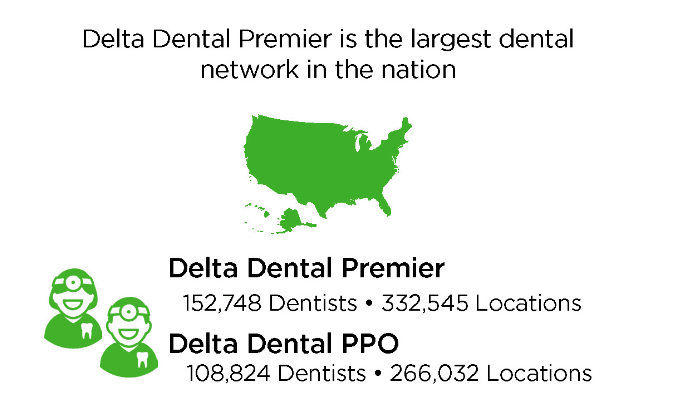
The research examined whether the web portal fully supported 332,545 medical offices and whether providers could navigate patient insurance plans, medical records, attachments, and submission requirements without avoidable confusion.

03 · OUR USERS
Research participants had to mirror the people doing claims work every day.
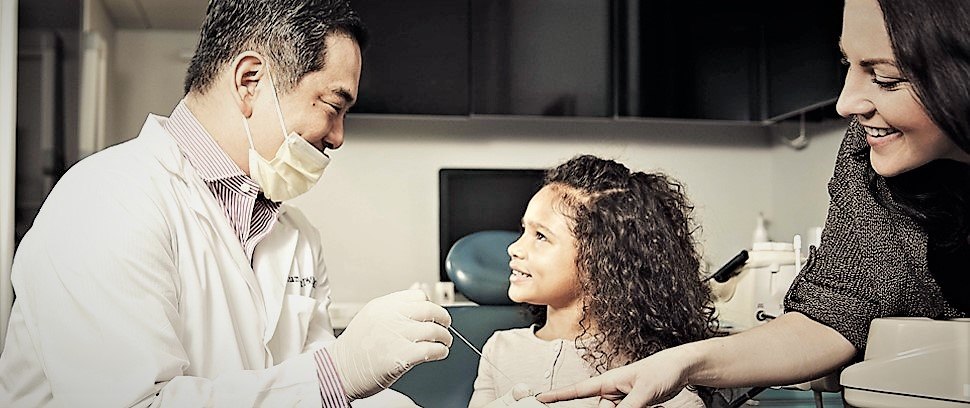
The study recruited dentists and office managers who represented the target Provider Tools personas. Recruiting was treated as a design decision: the right participants were essential for understanding high-pressure office workflows, claims follow-up, and insurance verification behavior.
10 moderated sessions
Participants completed Zoom-based tasks using realistic patient and procedure scenarios.
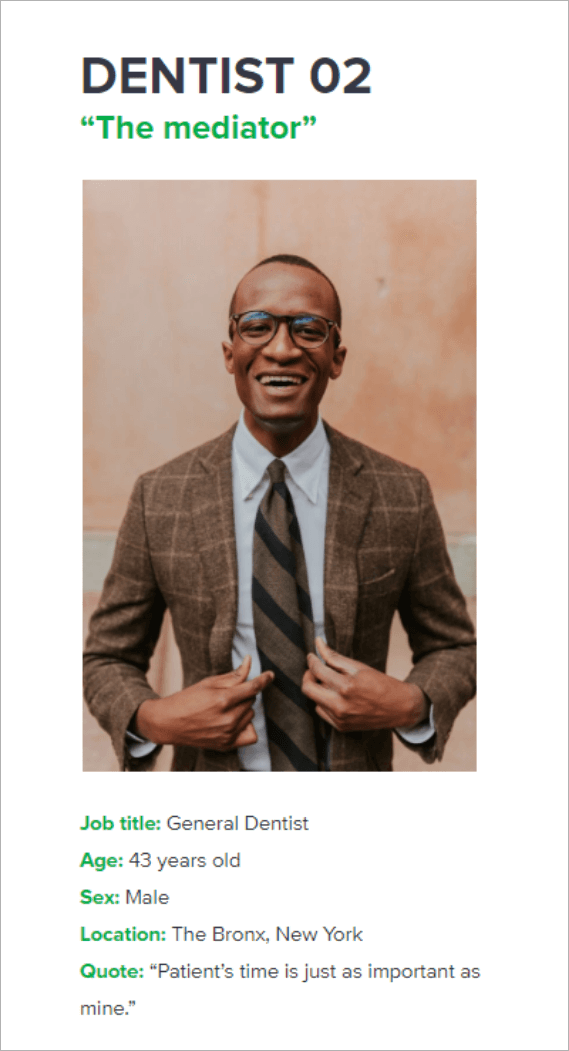

Dentist persona:
Dr. Ivan Diallo
A pediatric dentist focused on patient comfort, reimbursement friction, and reducing back-and-forth on unnecessarily denied claims.
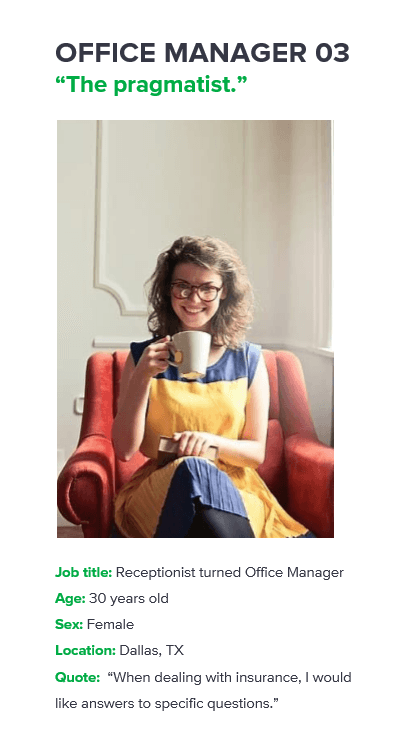

Office manager persona: Samantha Callahan
A multitasking office manager who double-checks benefits, batches claims, verifies procedure codes, and needs far less navigation inside practice software.
04 · USABILITY TESTING
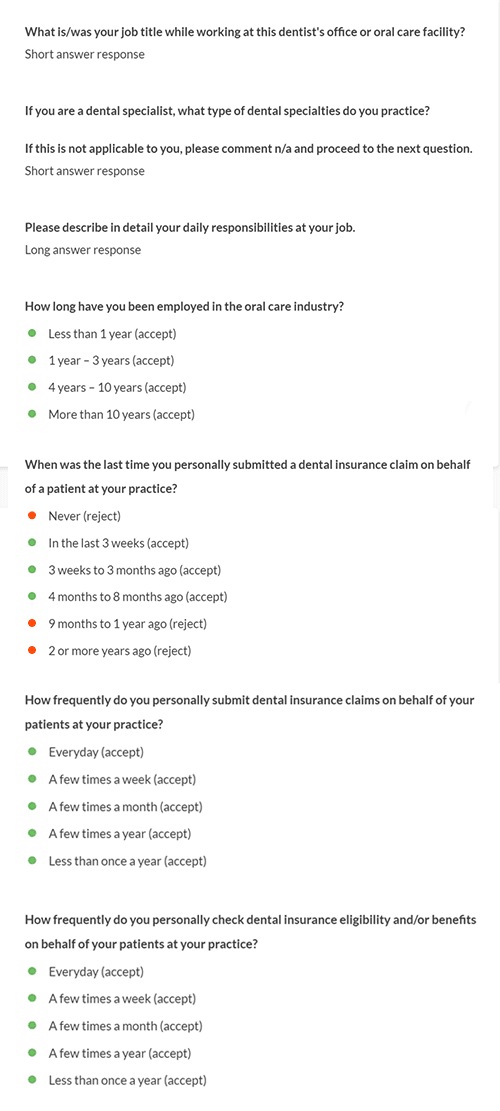
Screening questions qualified participants before the claims scenario.
Participants needed experience with practice management software and the background characteristics of real Provider Tools customers. The discussion guide then framed a wisdom-tooth extraction claim with patient details, procedure codes, and attachment requirements.

Moderated Scenario: Submit a new claim after two wisdom-tooth extractions.
Participants received the enrollee name Rebecca February, date of birth, enrollee ID, oral surgery procedure category, extraction codes, tooth numbers, and a prompt to attach an x-ray file. The study focused on whether users could translate this clinical scenario into a successful Provider Tools claim submission.
05 · USER INTERVIEWS
The moderated task had to feel like a real office workflow, not a button-hunting exercise.
Participants were not simply told to click “Submit a Claim.” They had to start from an existing patient profile, interpret procedure information, add attachments, and recover when the page returned an insufficient-information state.
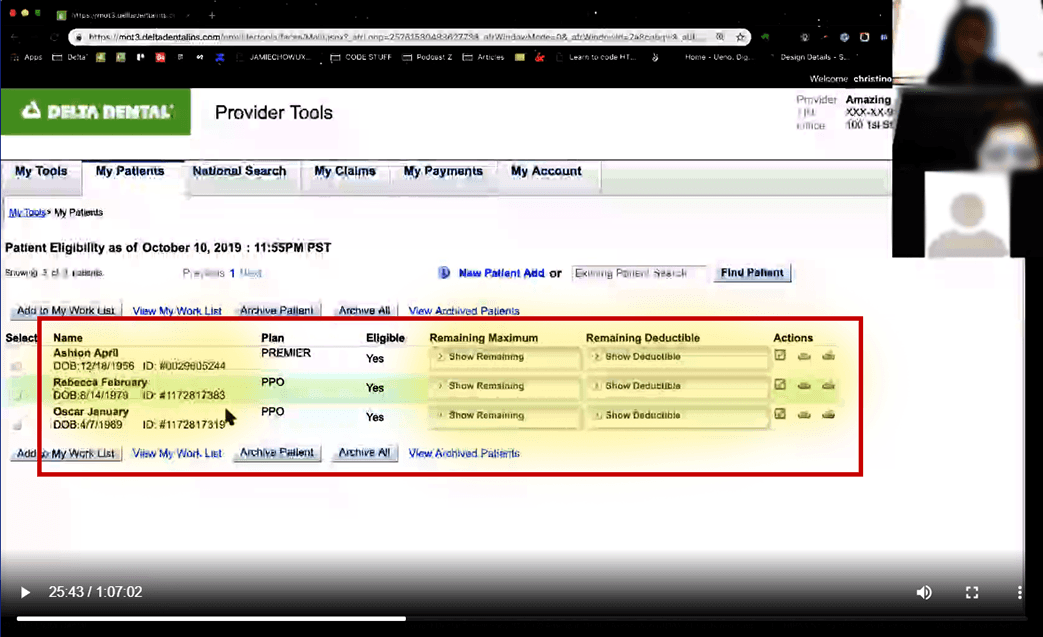


Step 1 · Find an existing patient
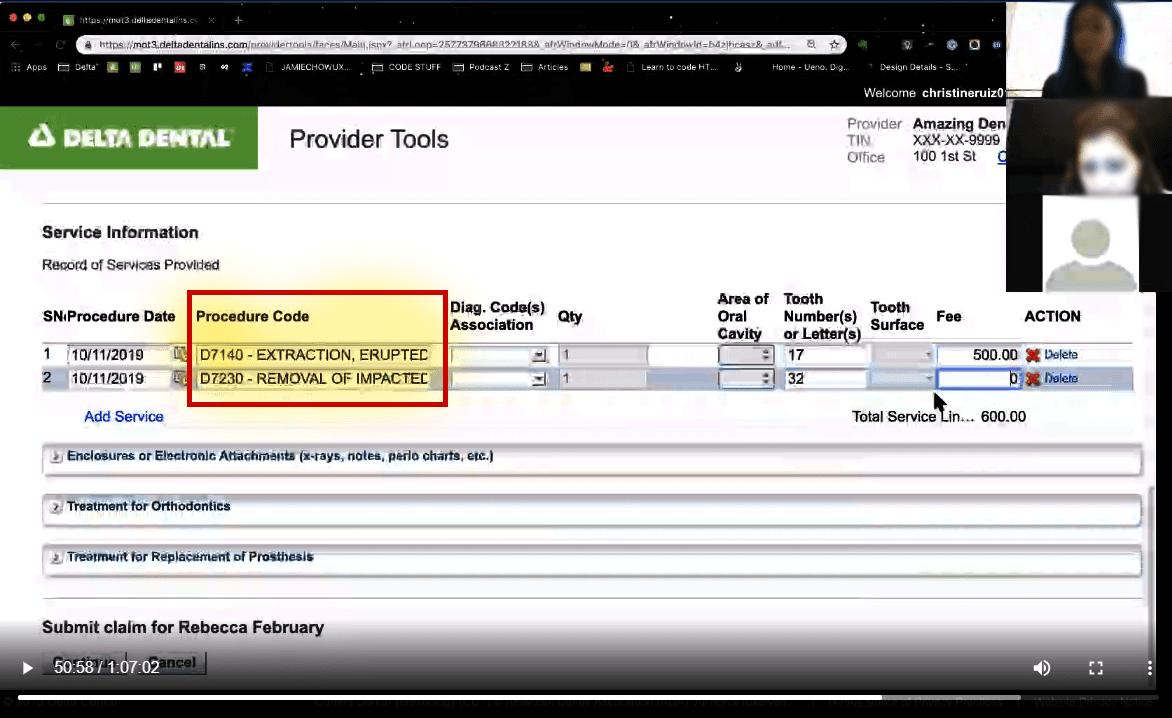
Users started in My Patients, entered Rebecca February’s enrollee ID, reviewed the returned patient list, and selected the correct patient before claim submission was available.
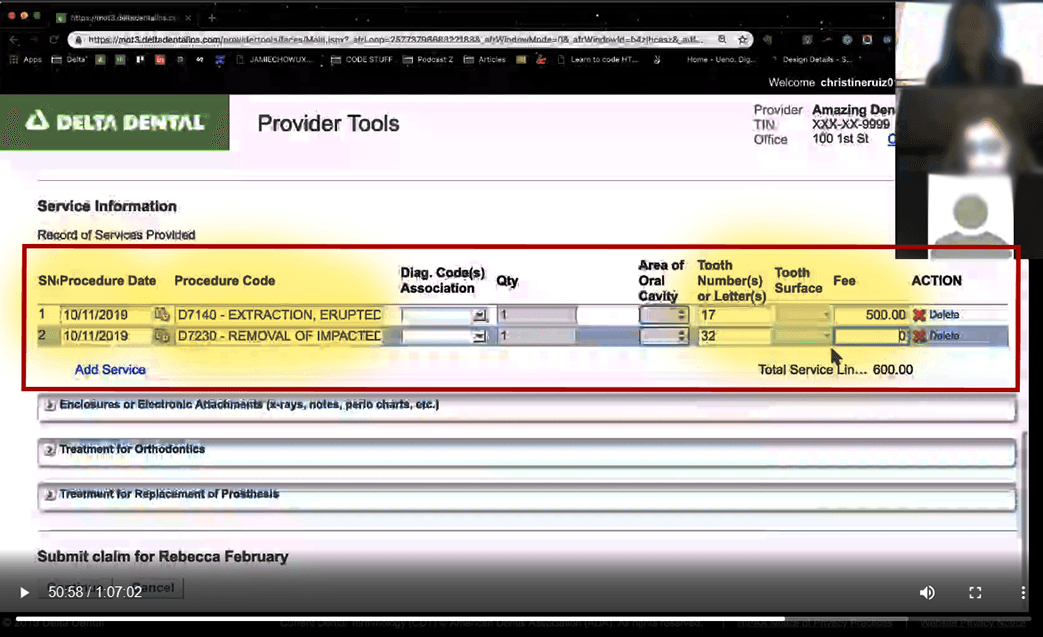


Step 2 · Input medical procedures
Once inside the claim page, users had to translate oral surgery category details, tooth numbers, and procedure codes into the correct claim fields.
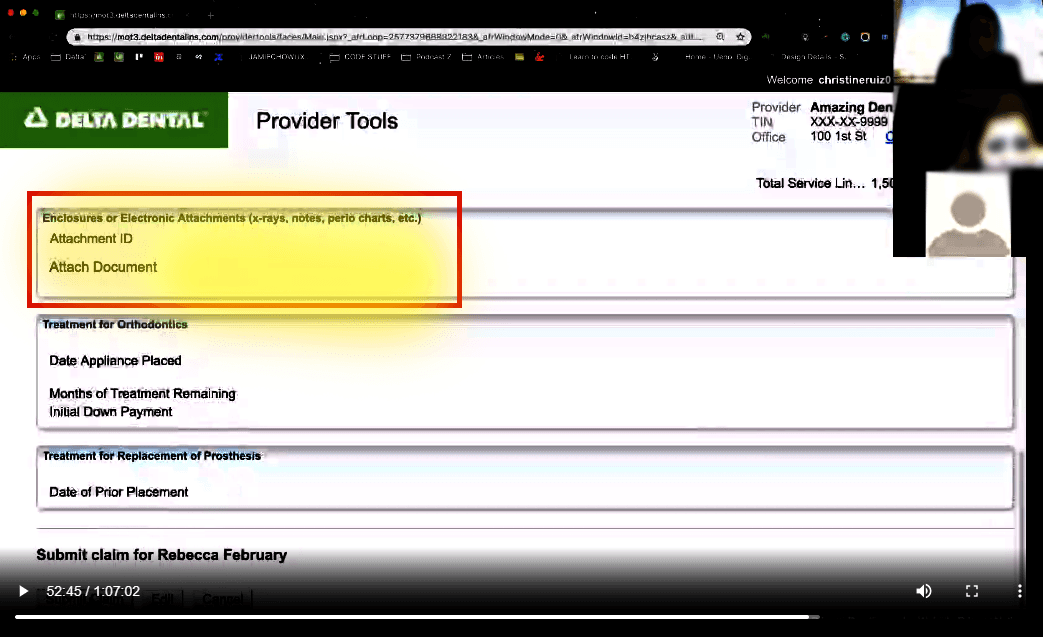


Step 3 · Add electronic attachments
The scenario required an x-ray attachment, but the Attachment ID looked like plain text. Many users ignored this part of the workflow until the submission failed.
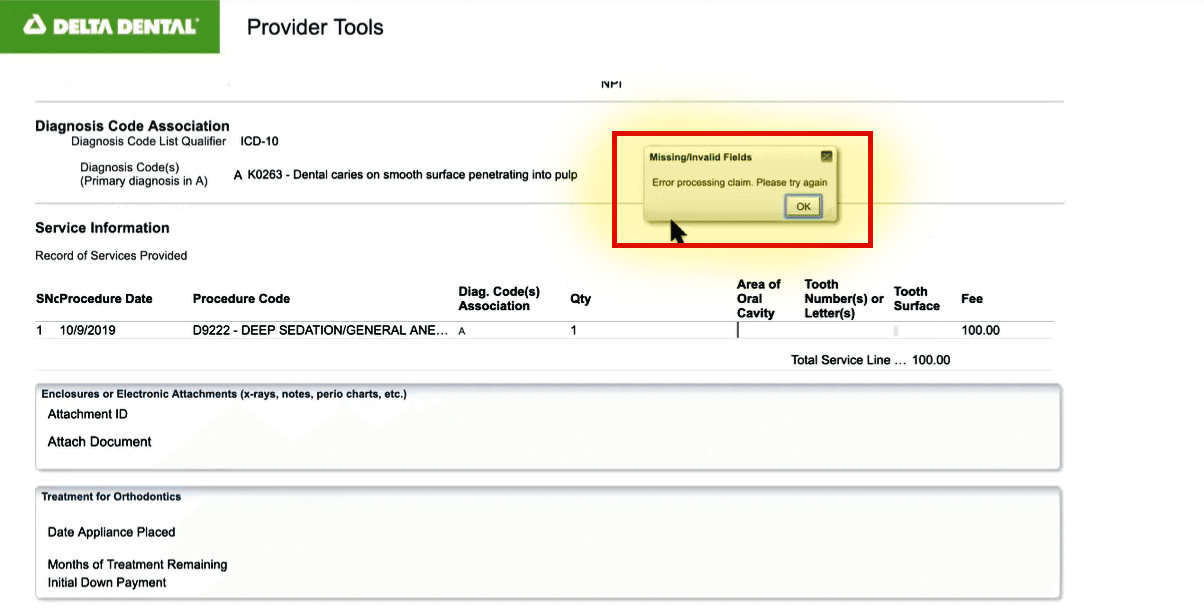


Step 4 · Submit claim and hit the error state
When procedure or attachment details were slightly off, the page returned an “insufficient information” pop-up without explaining what was missing or where to recover.
Step 5 · Observe recovery behavior
The most revealing moments came after failure: users scanned the page for missing requirements, overlooked transaction-type radio buttons, questioned whether attachments were required, and lost confidence that the claim would go through.
Step 6 · Chart the task path
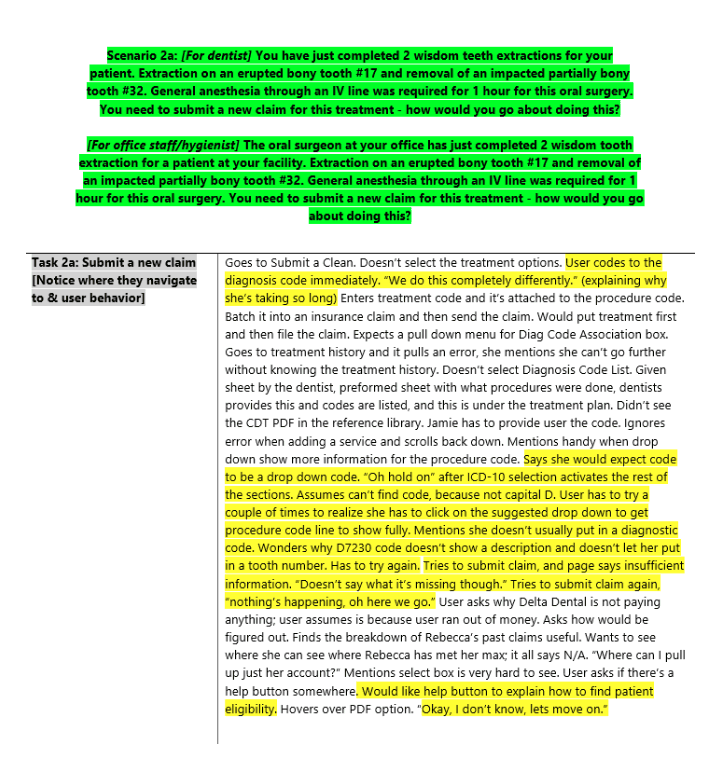
During each test, notes captured the path taken, pass/fail status, behavioral cues, raw observations, and follow-up quotes so synthesis could separate what happened from what needed to change.
06 · RESEARCH SYNTHESIS
Raw observations became a structured path from data to decisions.
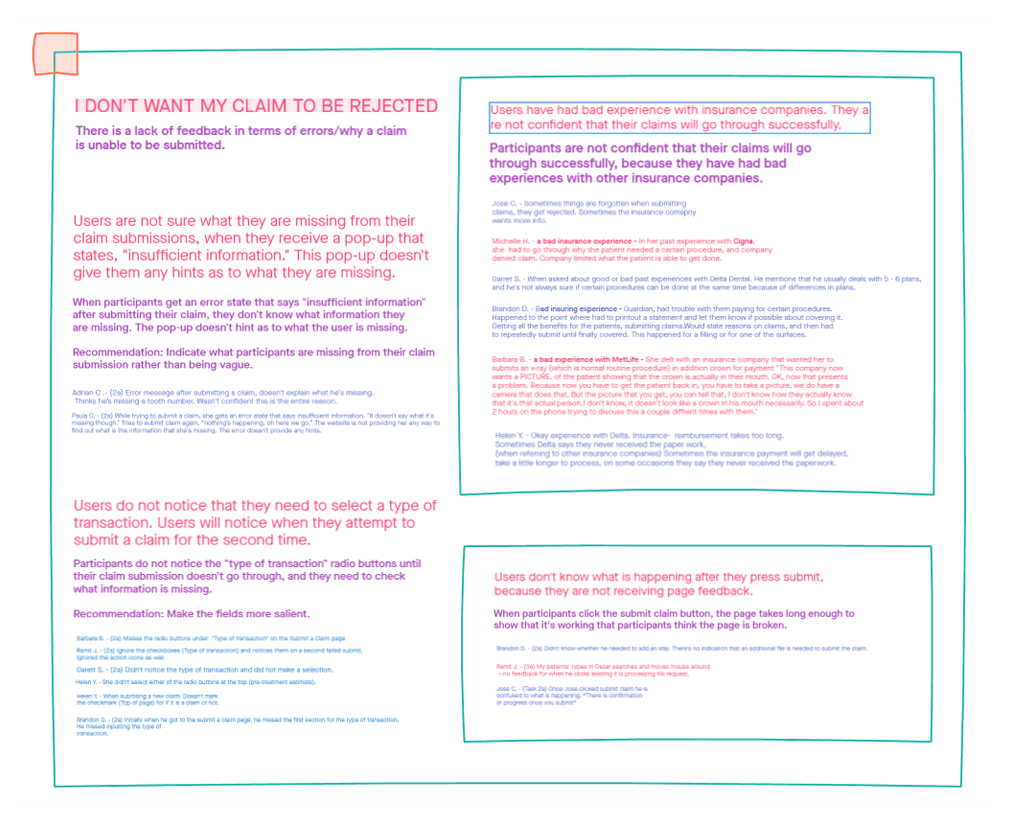
During testing, the discussion guide sheet charted each participant’s path, pass/fail status, behavioral cues, notes, and observations. The synthesis separated raw data, what the team learned, and what product changes needed to follow from the evidence.

07 · THEMATIC ANALYSIS
The key issue was missing feedback when users caused recoverable errors.
Participants did not know what information was missing after the insufficient-information pop-up. They missed transaction-type controls, questioned whether documents were required, distrusted insurance workflows, and interpreted slow submission feedback as a broken page.
No missing-field guidance
The error message did not tell users what claim information was incomplete.
Attachment ambiguity
Users were unsure whether an x-ray attachment was required for the claim type.
Confidence collapsed at submit
Slow page feedback made participants wonder whether the submission was working.
08 · COMPETITOR ANALYSIS
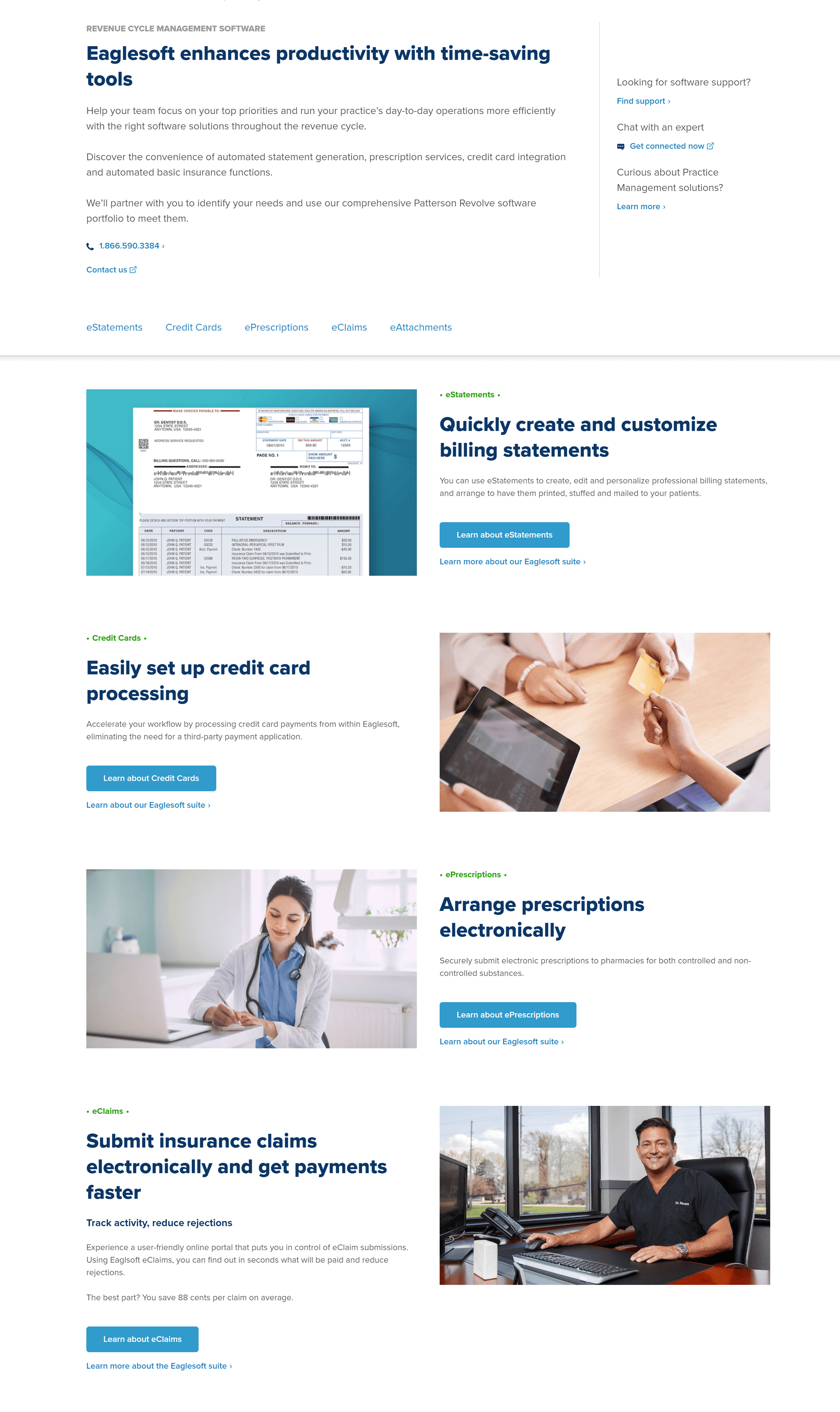
Competitor patterns helped turn usability problems into solvable feature requirements.


09 · FEATURE RECOMMENDATIONS
Recommendations were tied directly to observed behavior.
The recommendations focused on validating requirements before submission, clarifying attachment expectations, surfacing missing information, and adding stronger page feedback so users could recover without guessing.
Auto-fill and validate known patient context
Reduce manual re-entry once the user has selected the patient profile and procedure context.
Make attachment requirements visible before submit
Move x-ray and supporting document expectations into the claim flow instead of relying on hidden recovery.
Replace vague error states with guided recovery
Tell users exactly what field, attachment, or transaction type prevents successful submission.


10 · STAKEHOLDER BUY-IN
Findings were shared as product evidence, not just research documentation.
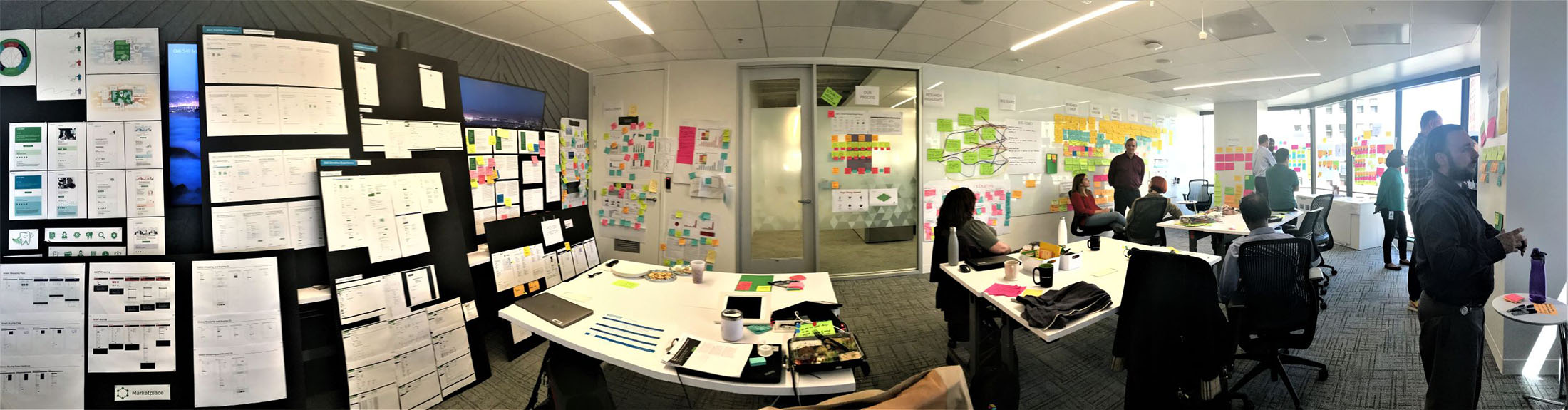
The research synthesis was presented to Design Operations, product design, and the research team so the claim-submission problems could become prioritized requirements for Provider Tools improvements.

11 · CONCLUSION
The study created a baseline for safer, clearer claims workflows.
By connecting claims data, usability testing, thematic analysis, competitor evidence, and stakeholder recommendations, the case study shows how research can reduce risk, reveal product opportunities, and protect patient coverage at scale.